
Most AI crawlers that identify themselves respect robots.txt. The exceptions are narrow enough to test in ten minutes: visits that a person triggers by asking an assistant a question, and crawlers that do not announce themselves. This guide sets out what OpenAI, Anthropic, Perplexity and Google document about AI crawlers robots.txt behavior, then walks through five checks you can run on your own site, in order, with a stopwatch.
Do AI crawlers respect robots.txt? What each provider says
A robots.txt file sits at /robots.txt on your site and lists which crawlers, named by user agent, may fetch which paths. The standard behind it, RFC 9309, is explicit about its limits: the rules are requests to crawlers, and it states they are not a form of access authorization.
Each provider documents its own bots and says what robots.txt does to them. The table below uses only the providers' own pages, read on 15 October 2026: OpenAI's crawler overview, Anthropic's crawler help article, Perplexity's crawler documentation and Google's list of common crawlers.
| Bot | Owner | What it does | What the owner's page says about robots.txt |
|---|---|---|---|
| OAI-SearchBot | OpenAI | Surfaces sites in ChatGPT search results | Allow it in robots.txt; a site opted out is not shown in ChatGPT search answers |
| GPTBot | OpenAI | Crawls content that may be used for training | Disallowing it signals the content should not be used for training |
| ChatGPT-User | OpenAI | Visits a page for a user action in ChatGPT | Robots.txt rules may not apply, because a user starts the visit |
| ClaudeBot | Anthropic | Collects content that may contribute to training | Anthropic says its bots honor robots.txt directives |
| Claude-SearchBot | Anthropic | Improves search result quality | Same statement for all Anthropic bots |
| Claude-User | Anthropic | Fetches pages when a person asks Claude a question | Same statement; disabling it can reduce visibility in user-directed search |
| PerplexityBot | Perplexity | Surfaces and links sites in Perplexity search | Allow it in robots.txt |
| Perplexity-User | Perplexity | Visits a page when a user asks a question | Generally ignores robots.txt rules, because a user requested the fetch |
| Googlebot | Crawls for Google Search | Google's common crawlers always obey robots.txt rules when crawling automatically | |
| Google-Extended | A token that controls use for Gemini training and grounding | No separate user agent string; does not affect inclusion in Google Search |
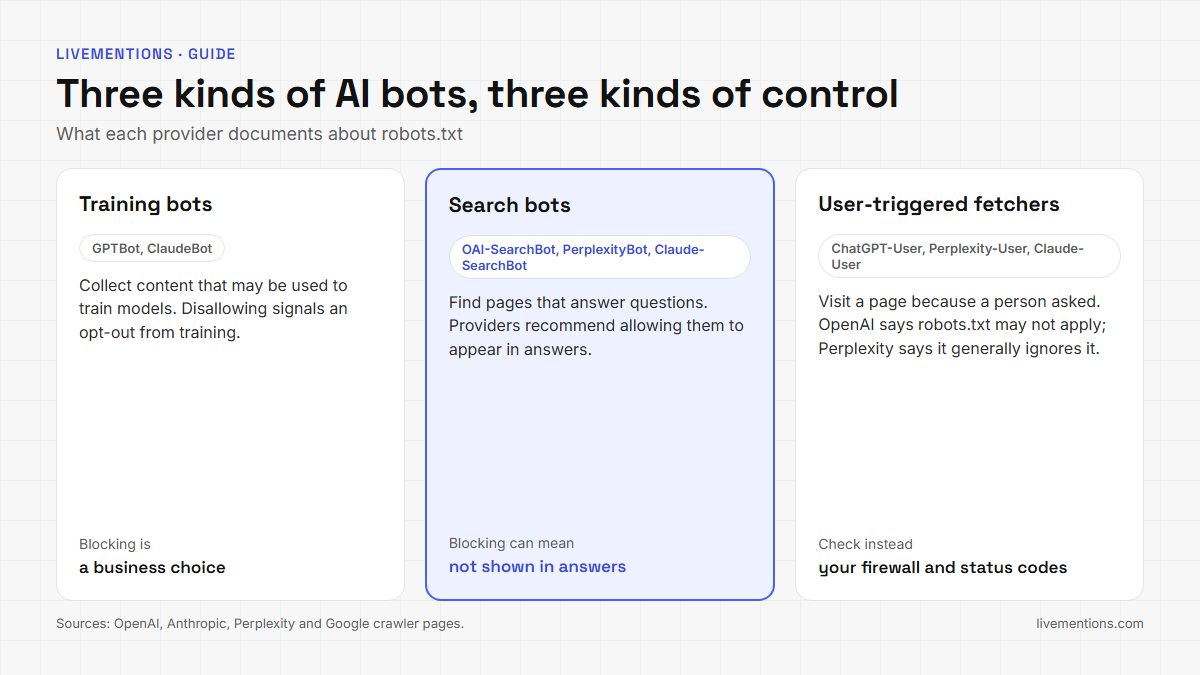
Three groups come out of the table.
- Automatic crawlers (OAI-SearchBot, GPTBot, ClaudeBot, Claude-SearchBot, PerplexityBot, Googlebot). The providers say they follow robots.txt.
- User-triggered fetchers (ChatGPT-User, Claude-User, Perplexity-User). OpenAI says robots.txt rules may not apply to ChatGPT-User, and Perplexity says its fetcher generally ignores them. Anthropic's page makes one statement for all of its bots and does not separate Claude-User.
- A control token (Google-Extended). It never appears as its own user agent in your logs, so you cannot count its visits.
The answer to the title question is therefore "yes for the crawlers that run automatically, and not always for fetches a person starts."
Why can a documented rule still fail in practice?
Three things stand between a rule in your AI crawlers robots.txt file and the behavior you wanted.
A robots.txt file is a request, not a lock. Google's introduction to robots.txt says the instructions cannot enforce crawler behavior, that Googlebot and other respectable crawlers obey them, and that other crawlers might not. It adds that a blocked URL can still be indexed without a visit if other sites link to it. Robots.txt manages crawling. It does not hide a page.
Declared behavior and observed behavior can differ. In August 2025, Cloudflare published a test on new domains whose robots.txt disallowed all automated access. Cloudflare reported that Perplexity still returned details about the content, and that an undeclared crawler with a generic browser user agent was involved. Search Engine Journal reported that Perplexity disputed this and described its assistants as user-driven, not as crawlers. Cloudflare's account and Perplexity's answer differ, so the practical lesson is the same either way: verify on your own site.
Something in front of your site can answer for you. A CDN or firewall decides what a crawler receives before your robots.txt matters. The next section shows how that changes the result.
The 10-minute AI crawlers robots.txt check
Five steps, in this order. The time next to each is a budget, not a promise.
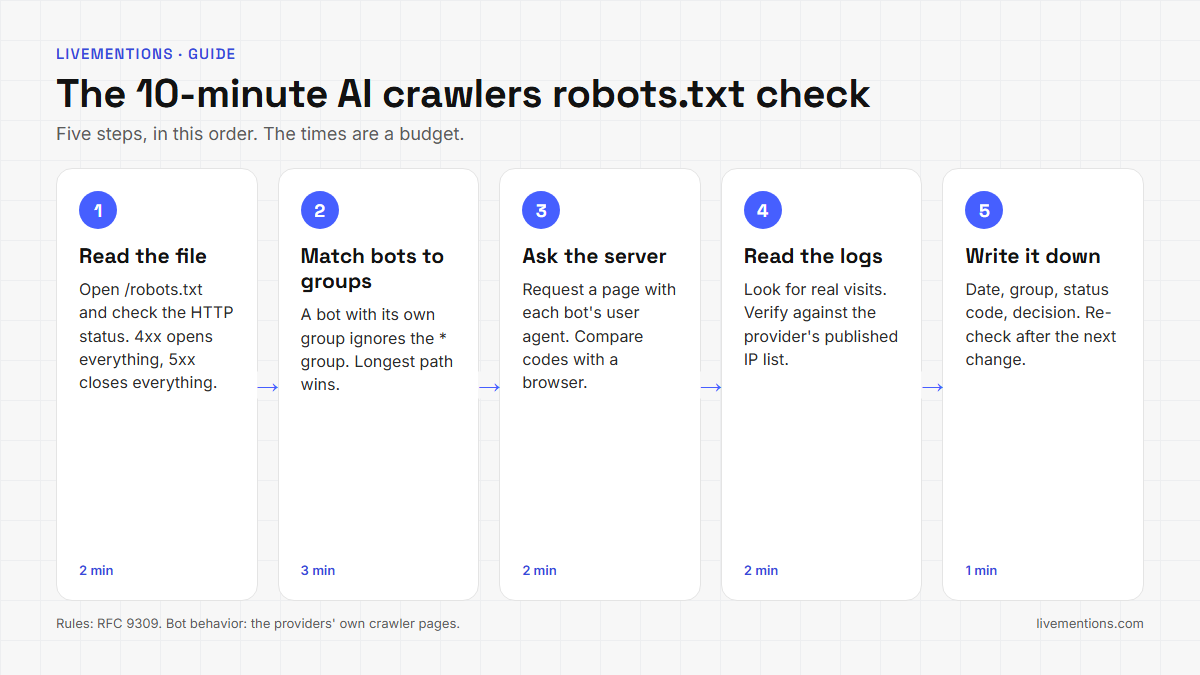
Step 1 (2 minutes): read the file and its status code
Open yourdomain.com/robots.txt in a browser, then check the HTTP status with curl -I. Do it for every subdomain you want covered, because Anthropic's page says the rules belong in the top-level directory of each one.
The status code matters more than most people expect. Under RFC 9309, a 4xx answer means the file is unavailable, and a crawler may access any resource. A 5xx answer or a network failure means the file is unreachable, and a crawler must assume everything is disallowed. A firewall that answers a crawler's robots.txt request with an error can therefore open or close your whole site, whatever the file says.
Step 2 (3 minutes): find the group each bot follows
Read your AI crawlers robots.txt rules from the top and answer one question per bot: which group applies to it? The standard sets four rules.
- The bot matches the group whose name contains its token. Matching ignores case.
- If no group names the bot, it follows the
*group. If there is none, no rules apply. - Within the group, the longest matching path wins.
- If an allow rule and a disallow rule are equally specific, allow wins.
The second rule hides a common trap. A bot with a group of its own does not also read the * group. Take this illustrative file:
User-agent: *
Disallow: /admin/

User-agent: GPTBot
Disallow: /

User-agent: OAI-SearchBot
Allow: /| Bot | Group it follows | Result |
|---|---|---|
| GPTBot | its own group | The whole site is disallowed |
| OAI-SearchBot | its own group | Everything is allowed, including /admin/ |
| ClaudeBot | the * group, because it has no group of its own |
Everything except /admin/ is allowed |
| ChatGPT-User | the * group, if robots.txt applies at all |
OpenAI says the rules may not apply to it |
The /admin/ rule was meant for every bot, and it silently stopped applying to OAI-SearchBot the moment that bot got its own group. If you add a group for one bot, copy the shared rules into it.
Step 3 (2 minutes): ask the server what it sends each bot
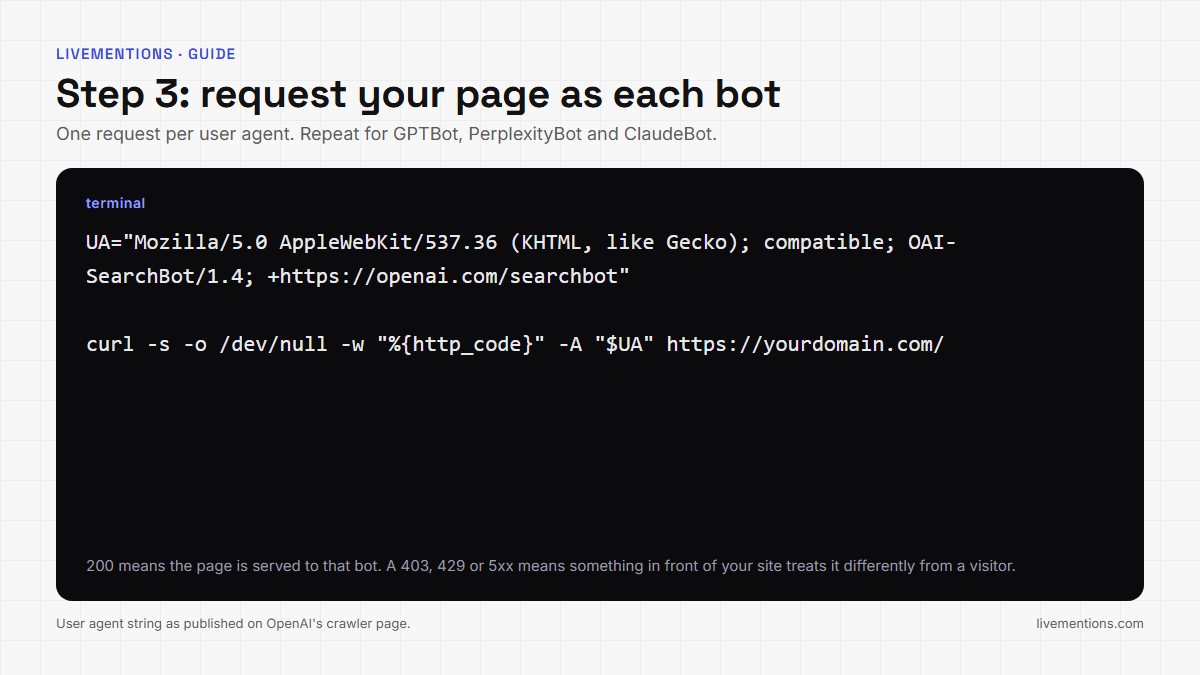
Robots.txt shows what your file asks. It does not show what your CDN or firewall does. To see that, request a page with each bot's user agent string and compare the status codes with a normal browser request. OpenAI, Perplexity and Anthropic publish their user agent tokens, and OpenAI and Perplexity publish full strings:
for ua in \
 "Mozilla/5.0 AppleWebKit/537.36 (KHTML, like Gecko); compatible; OAI-SearchBot/1.4; +https://openai.com/searchbot" \
 "Mozilla/5.0 AppleWebKit/537.36 (KHTML, like Gecko); compatible; GPTBot/1.4; +https://openai.com/gptbot" \
 "Mozilla/5.0 AppleWebKit/537.36 (KHTML, like Gecko; compatible; PerplexityBot/1.0; +https://perplexity.ai/perplexitybot)" \
 "ClaudeBot"; do
  curl -s -o /dev/null -w "%{http_code}  $ua\n" -A "$ua" https://yourdomain.com/
done
A 200 for every line means the page is served to each of them. A 403, a 429 or a 5xx on some lines means something in front of the site is treating that bot differently from a visitor, even if robots.txt allows it. A 200 also says nothing about whether the bot can read what it is served; see whether AI crawlers render JavaScript.
One caution. Your own computer is not in the bot's published IP ranges. Perplexity advises combining user agent matching with its published IP ranges, and OpenAI recommends allowing its published ranges, so a firewall that verifies origin may reject your test even though it would admit the real crawler. Treat a mismatch as a lead to investigate, not as proof.
Step 4 (2 minutes): look for real visits in your logs
Search your server or CDN logs for the bot names. Two details help. OpenAI says it may add a "robots.txt" marker to the user agent when it fetches the file, which separates those requests from page requests. And user agent strings can be spoofed, as Google's crawler page warns, so confirm a suspicious visit against the provider's published IP list.
Google-Extended will not appear. It has no user agent string of its own, so its effect cannot be counted in logs. If your CDN has a crawler report, such as Cloudflare's AI Crawl Control, which can show which crawlers follow your directives, use it for the same purpose.
Step 5 (1 minute): write the result down
Keep a one-line record of your AI crawlers robots.txt setup. For each bot, note the date, the group that applies, the status code it received and whether you want it allowed. Then leave the file alone. OpenAI says a robots.txt change can take about 24 hours to take effect for search results, and Perplexity says up to 24 hours. RFC 9309 tells crawlers not to reuse a cached copy for more than 24 hours, so a re-check the next day shows the effect.
What should you do with the result?
Read the result of the AI crawlers robots.txt check by the job each bot does.
- Search bots. Blocking OAI-SearchBot keeps your site out of ChatGPT search answers, according to OpenAI. Perplexity recommends allowing PerplexityBot to appear in its search results, and Anthropic says disabling Claude-SearchBot may reduce visibility in search results.
- Training bots. Blocking GPTBot or ClaudeBot signals that your content should not be used for training. That is a business choice, and the two settings are independent of search.
- User-triggered fetchers. Robots.txt may not decide these visits, so your firewall settings and the status codes from step 3 are the part to review.
A separate optional file, llms.txt, does not control crawling; see what llms.txt is and whether it is worth doing.
How does LiveMentions run the first two steps for you?
LiveMentions is an AI brand visibility platform. It tracks how often, and how favourably, a brand appears in answers from ChatGPT, Claude, Gemini and Perplexity, compares it with competitors, shows which sources the AI cites, and suggests ways to improve (the Optimize feature).
Crawlability, part of that product, automates the file-reading half of the AI crawlers robots.txt check. It reads your robots.txt and checks it against a catalog of AI bots. Each bot gets one status, Allowed, Partly restricted or Blocked, together with the rule that decided it. A side panel for each bot answers "Does it follow robots.txt?" and links to the provider's source. The Crawlability documentation describes the three tabs, and the help center explains the bot statuses and the difference between training, search and user bots.
The URL tester covers the part of step 3 that robots.txt cannot answer. You enter an address on your own site, and for each bot it shows whether robots.txt allows that exact address. An optional live check sends one request per key bot with that bot's user agent and flags any row that differs from a browser request. The URL tester guide notes that the live check is a simulation, which is the same caution as in step 3.
Crawlability shows what your file asks of each bot. "Allowed" means the file permits the bot, not that the bot visited, and visits are in your server logs. Crawlability is one of the checks inside Optimize, which audits technical access alongside six other areas, including how your Organization structured data reads.
Frequently asked questions
Does blocking GPTBot stop ChatGPT from citing my site?
No. OpenAI states that its settings are independent and that OAI-SearchBot is the bot for search results. Disallowing GPTBot signals a training opt-out. A site that wants to appear in ChatGPT search answers keeps OAI-SearchBot allowed.
Is robots.txt enough to keep a page private?
No. RFC 9309 says the rules are not a form of access authorization, and Google says a blocked URL can still be indexed if other sites link to it. Use a password or a noindex directive for pages that must stay out of results.
How long does a robots.txt change take to affect AI crawlers?
OpenAI says about 24 hours for search results, and Perplexity says up to 24 hours. Neither publishes a faster guarantee, so re-check the next day.
Can I see which AI bots actually visited my site?
Your server or CDN logs show it. Search for the bot names and verify suspicious visits against the provider's published IP list. Google-Extended is the exception, because it has no user agent string of its own.
Run the AI crawlers robots.txt check once, then keep the result
Take ten minutes today. Read your file and its status code, match each bot to its group, request a page as each bot, scan the logs and write the result down. Then use LiveMentions to see the same bot-by-bot status next to your AI visibility data, so a blocked bot shows up before it costs you an answer. This check is step 2 of the 9-step AI visibility audit.
Ready to see your own AI visibility?
Start Free Trial
Shahin Salehin
I’m Shahin, founder of LiveMentions and a software product builder with years of experience building WordPress plugins and tools for real businesses. My work has given me a practical perspective on product development, search, content, and how businesses build visibility online. With LiveMentions, I’m now focused on AI search and helping brands understand how they are represented across AI-generated answers. I write about AI brand visibility, AI search, and practical strategies based on research, experimentation, and what I learn from building in this space.
Articles: 18