
A buyer asks ChatGPT about your company and the answer says you were founded in 2018, when it was 2021, and that you sell only to accounting firms, when you sell to every small business. That is wrong information about your brand in ChatGPT: a claim in an answer that contradicts your facts. The fix is a loop of five steps: save the claim, find its source, correct the pages you control, publish a clear fact page and re-check.
Why does ChatGPT get facts about your brand wrong?
OpenAI explains the cause in its own help pages. In "Does ChatGPT tell the truth?" it says the model can produce incorrect or misleading output and can sound confident when it is wrong. Its examples include incorrect definitions, dates or facts, and references to sources that do not exist.
Two routes lead to a wrong claim about your brand in ChatGPT:
- Training data. Without search, a response is based on what the model learned in training, and the model has a knowledge cutoff.
- Web sources. With search, ChatGPT reads and cites web pages. OpenAI's page on searching the web with ChatGPT says results and citations can be incomplete, outdated or incorrect.
You cannot edit what a model learned. You can edit the pages it reads. That is why the loop below starts with the source of the claim and works outward from there.
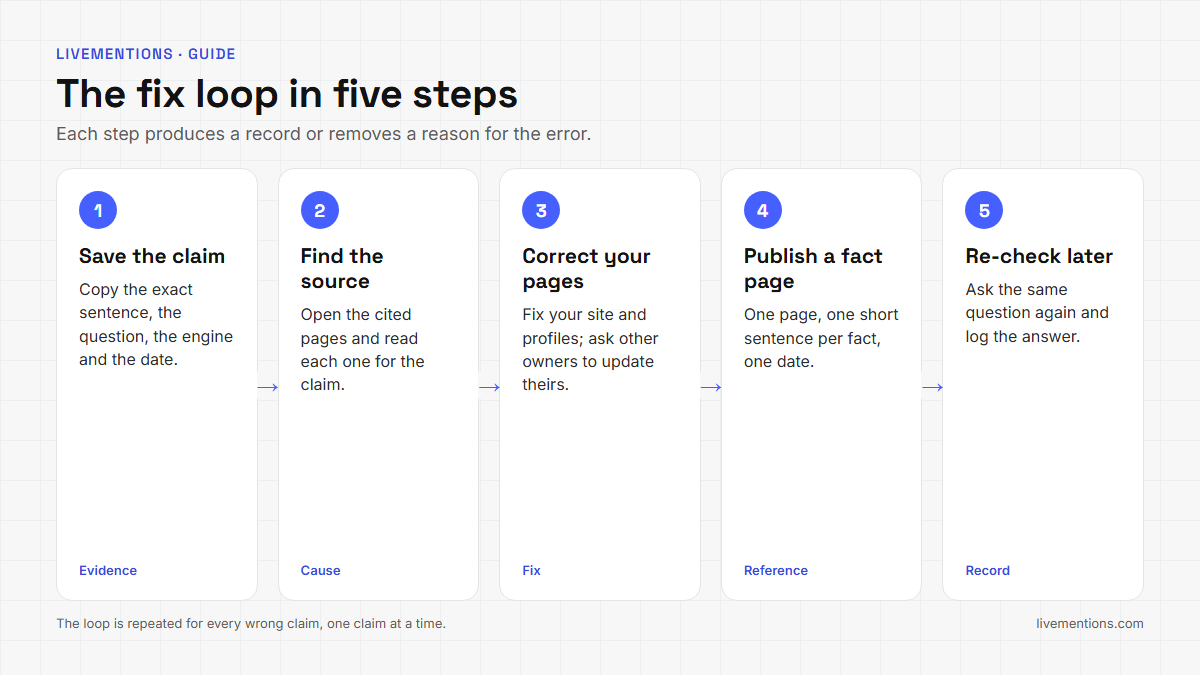
How do you fix wrong information about your brand in ChatGPT?
| Step | Action | What you produce |
|---|---|---|
| 1 | Save the claim | The question, the engine, the date and the exact sentence |
| 2 | Find the source | The page the answer cites, or a note that it cited none |
| 3 | Correct the pages you control | Updated pages and corrected profiles |
| 4 | Publish a clear fact page | One page that states your facts in plain sentences |
| 5 | Re-check later | The same question, asked again and logged |
The loop for wrong information about your brand in ChatGPT promises no particular answer, and it does not need one. Every step removes a reason for the error or gives you a record of it.
Step 1: How do you save the claim as evidence?
Copy the exact sentence from the answer, not a summary of it, so the claim about your brand in ChatGPT is on record word for word. Record the question you asked, the engine, the date and whether search was on. OpenAI's help page says that with search or deep research ChatGPT can cite real-time web sources, and its input bar shows whether search is enabled. A claim made with sources and a claim made without them have different causes.
Then sort the claim into one of three types:
- Contradiction: the answer conflicts with a fact you can prove, such as a founding year or a pricing model.
- Outdated: the answer was true once, such as a product you retired.
- Not covered: the answer states something specific about you that your own pages never say.
Ask the same question more than once. The LiveMentions help center notes that AI models can produce different answers for the same prompt, so a claim that shows up in three of five runs is a firmer finding than one that shows up once.
Step 2: How do you find where ChatGPT got the claim?
Open the sources behind the answer. OpenAI says a response that uses web search may include citations, and that you can select Sources to see the cited pages. Its own advice is to open a cited source and check that it supports the answer.
Read each cited page for the wrong claim and sort it into one of four cases:
- Your own page says it, perhaps on an old pricing or about page.
- A profile you control says it, such as a directory listing or a social account.
- A page someone else owns says it, such as a review, a news item or an old press release.
- No page says it, or the answer cited nothing. The claim then probably comes from training, and your fix is the pages in steps 3 and 4, because those are what search reads.
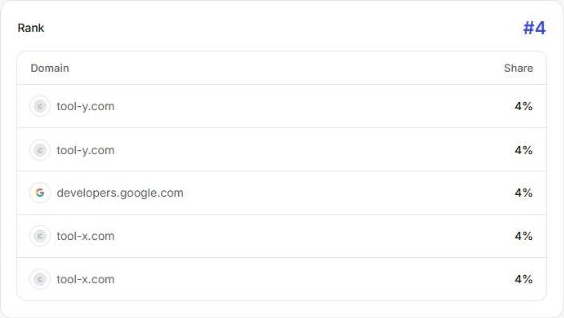
In LiveMentions: every tracked answer is saved in full, so you read the exact wording. The Sources page lists the websites AI cites for your tracked questions, with each domain's share of citations and a table of cited pages with the engine and the date. The pages that appear again and again are the ones to read first.
Step 3: How do you correct the pages you control?
Fix the cause on every page that carries the wrong claim, starting with your own site.
- Your site. Change the sentence on the page that holds the old fact. Put the correct fact in plain words near the top of the page, with the same wording everywhere: the same founding year, the same product names, the same description of who you serve.
- Profiles you own. Update directory listings, app marketplace pages and social profiles so they match your site.
- Pages other people own. Send the owner a short, polite request with the correct fact and a link to the page on your site that proves it. Keep a note of who you asked and when.
- Access. OpenAI says a site is eligible for ChatGPT search results when OAI-SearchBot is allowed and the host or CDN allows OpenAI's published IP addresses. A site that blocks the crawler cannot be read when search runs. OpenAI's crawler page adds that a robots.txt change can take about 24 hours to be picked up.
In LiveMentions: Crawlability reads your robots.txt and shows each AI bot as Allowed, Partly restricted or Blocked, with the rule that decides it.
Step 4: What belongs on a clear fact page?
A fact page is one address on your own site where a person, or a search system, can read your key facts without hunting. It is usually the About page, or a page that sits beside it. Write each fact as one short sentence that stands alone, because short sentences are easy to quote.
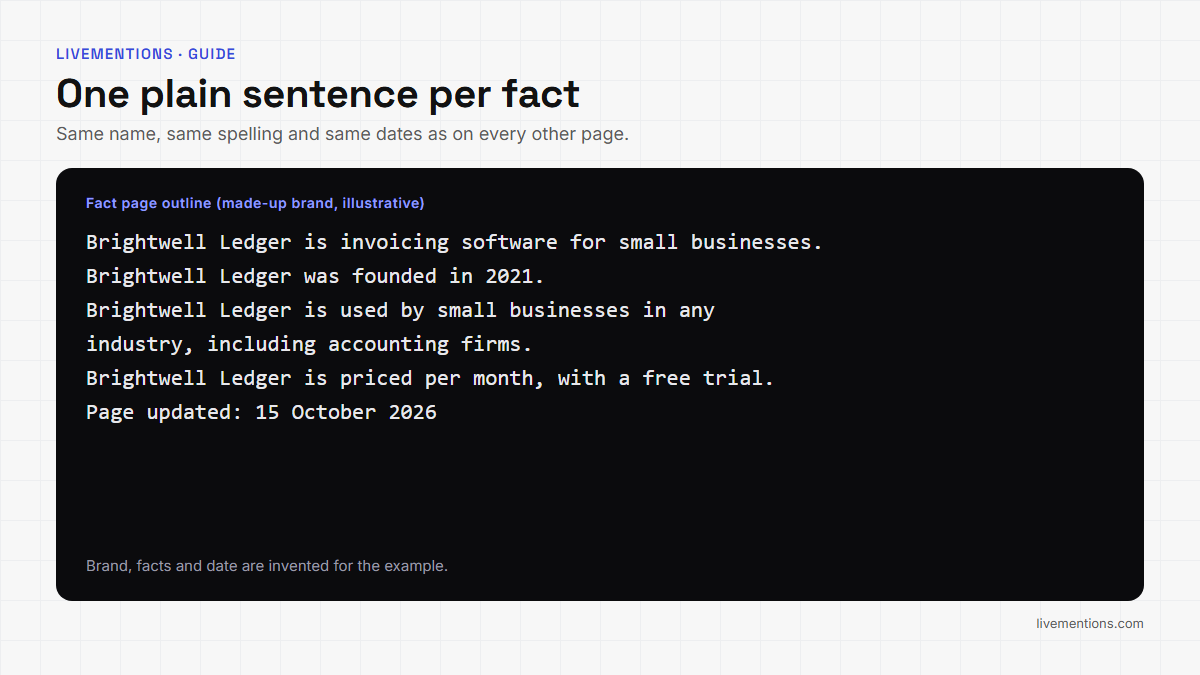
A fact page for a made-up brand might hold these lines:
- Brightwell Ledger is invoicing software for small businesses.
- Brightwell Ledger was founded in 2021.
- Brightwell Ledger is used by small businesses in any industry, including accounting firms.
- Brightwell Ledger is priced per month, with a free trial.
- Brightwell Ledger connects to the major banks and to two payment providers.
Use your own words for each line. Keep the same name, the same spelling and the same dates on every page. Add a visible date to the page when you change it, so a reader and a search system can tell it is current.
Structured data is optional. Google documents Organization markup for Google Search, lists name, url, logo, description and sameAs among its properties and says no property is required. The OpenAI pages opened for this guide do not mention structured data, so treat markup as a tidy way to describe the page and not as a lever on ChatGPT.
What does the loop look like for wrong information about your brand in ChatGPT?
The example below is invented to show the format. The brand, the claim and the pages are made up, and nothing in it is a benchmark.
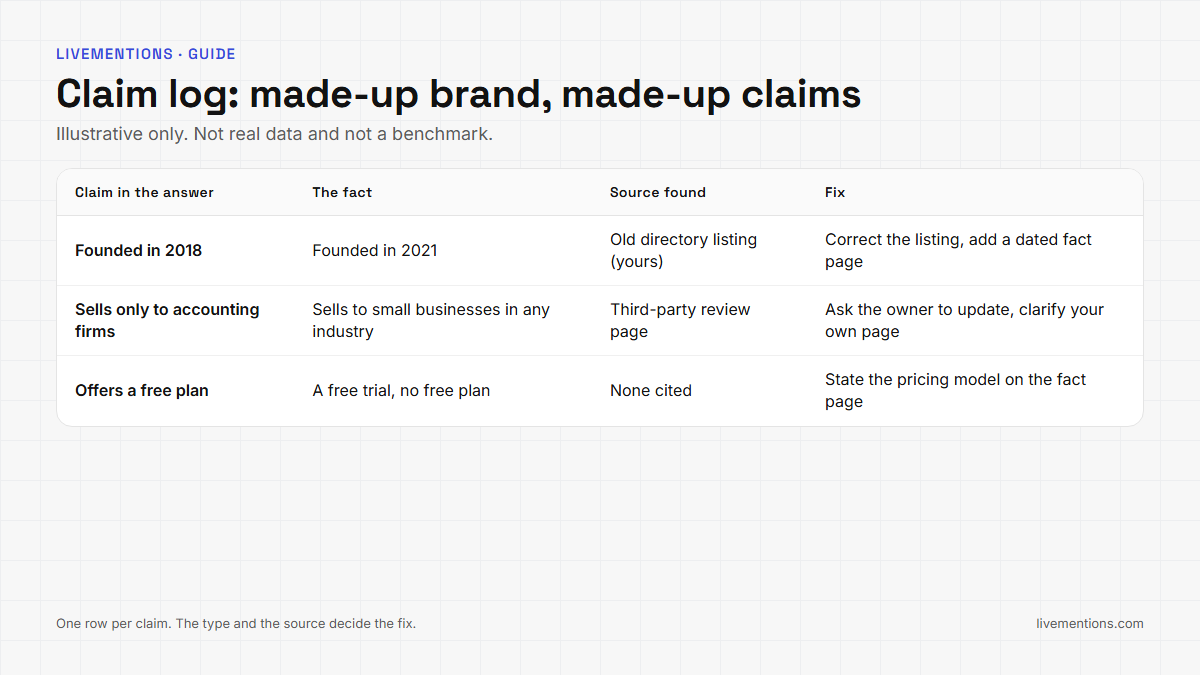
Read across the table. The founding year traces to an old directory listing, which is a page the brand controls, so the fix is a corrected listing and a dated fact page. The audience claim traces to a page on another website, so the fix is a request to its owner and a clearer sentence on the brand's own page. The third claim, a free plan that does not exist, has no cited source, so the fix is the fact page itself, and the re-check will show whether the claim shows up in later answers.
Which wrong claim should you fix first?
Not every wrong claim deserves the same effort. Rank the claims you saved in step 1 by two questions: how much would a buyer lose by believing it, and how much of the fix sits within your control.
| Claim type | Example | Where to start |
|---|---|---|
| Contradiction on a high-stakes fact | A wrong pricing model or audience | Fix first: correct your own page, then the fact page |
| Outdated | A retired product still described as current | Update or redirect the old page, then correct profiles |
| Not covered | A specific detail your pages never state | State the fact once on the fact page |
| Cited page owned by someone else | An old review or press release | Send the request in step 3 and keep the note |
A claim that costs a buyer money or trust goes to the top of the list, even when the fix is slow. A harmless claim with a quick fix, such as a typo in a profile, can be cleared in the same sitting.
What should a correction request to a page owner say?
Step 3 asks you to contact the owner of a page you do not control. A short message gets answered more often than a long one. Keep it to four parts:
- The page. Name the address and quote the sentence that is wrong.
- The fact. Give the correct statement in one plain sentence.
- The proof. Link the page on your own site that states the fact.
- The ask. Request a specific edit, such as replacing one sentence.
Send it once, log the date and who you wrote to, and add the page to your re-check list. Do not argue the case or attach a long document. The owner of the page only needs to see the wrong sentence, the right one and the proof, and a reply that is easy to act on is a reply that gets acted on. If the owner does not reply, the fact page on your own site is still the strongest thing you control, because it gives a reader and a search system a clean source to find.
Step 5: How do you re-check the answer?
Run the same questions again, in the same words, and log what is now said about your brand in ChatGPT next to the first result. Use a fixed schedule, such as weekly, rather than checking when you happen to remember. Search systems take time to read a changed page, and the only number OpenAI publishes is about 24 hours for a robots.txt change. Nothing guarantees a date for a content change, so the record is what shows you the direction.
OpenAI also suggests that when a result looks wrong you ask ChatGPT to search again using a specific source, date or location. That is a quick way to test whether your corrected page is read in your own conversation. It is not a fix for what other buyers see, so keep the saved record as your evidence.
Three results are possible after a re-check:
- The claim is gone. Log the date and keep the question on your list.
- The claim is still there, with a new source. Return to step 2 for that source.
- The claim is still there, with the same source. Check that your correction is live and readable, then repeat step 3.
Keep one log row per claim, with six columns: the claim, the engine, the date of each check, the source found, the fix you made and the result. A log in that shape shows at a glance which claims are closed, which are waiting on another site and which need a second pass. It also gives a teammate or a client the full history without a long explanation.
How do you find wrong claims across many answers?
Checking for wrong information about your brand in ChatGPT by hand works for a handful of questions. It gets slow when buyers ask the same thing in many forms on four engines.
LiveMentions is an AI brand visibility platform. It tracks how often, and how favourably, a brand appears in answers from ChatGPT, Claude, Gemini and Perplexity, compares it with competitors, shows which sources the AI cites, and suggests ways to improve (the Optimize feature). Two features cover this job:
- Brand Context is the page where you store what is true about your brand: company overview, offerings and audience. Fields are labelled AI from your site, AI from your tracked answers or Written by you, you can edit any of them, and your wording is kept. The Docs state that Brand Context is never added to the questions sent to AI engines, so the tracked answers stay an honest measurement.
- The AI accuracy check, on paid plans, compares recent AI answers about your brand with those saved facts. A Contradiction is an answer that conflicts with a fact. Not covered is a specific claim that none of your facts mention. Each finding shows the engine and the exact words, and Open this fact takes you to the fact to correct. Dismiss removes a finding that is not a real problem.
Add your facts once, and each later check turns the saved answers into a list of claims to work through, each one ready for step 1 of the loop. The guide to what AI brand visibility is explains the mentions, citations and framing that the same tracked answers also show.
Frequently asked questions
Why does ChatGPT say wrong things about my company?
OpenAI says ChatGPT can give incorrect information and sound confident, and that search results and citations can be incomplete, outdated or incorrect. Wrong information about your brand in ChatGPT usually comes from the training data or from an old or inaccurate page that search reads.
How long does it take for ChatGPT to show corrected information?
No page opened for this guide gives a time for a content change. OpenAI gives one figure: about 24 hours for its systems to adjust after a robots.txt update. Re-check on a schedule and log each result.
Does structured data fix wrong information about your brand in ChatGPT?
Google documents Organization markup for Google Search, and none of the OpenAI pages opened for this guide mention it. Markup describes a page clearly. The correction itself comes from accurate, consistent pages.
Is a wrong answer the same as a hallucination?
OpenAI uses the word for responses that are not factually accurate, including incorrect dates and facts and references to sources that do not exist. A wrong claim about your brand fits that description, and the loop treats it the same way: find where it came from and fix what you control.
How do I check what AI says about my brand on every engine?
Ask your key questions on each engine and save the full answers, or use LiveMentions to track them across ChatGPT, Claude, Gemini and Perplexity and run the AI accuracy check on paid plans. A 7-day free trial is available.
Start the loop with one saved answer
Pick the one claim about your brand in ChatGPT that would cost you the most if a buyer believed it. Save the exact sentence, open its sources and fix the first page you find. Then write your facts into Brand Context and let LiveMentions compare every later answer with them, so the next wrong claim shows up as a finding and not as a surprise.
Ready to see your own AI visibility?
Start Free Trial
Shahin Salehin
I’m Shahin, founder of LiveMentions and a software product builder with years of experience building WordPress plugins and tools for real businesses. My work has given me a practical perspective on product development, search, content, and how businesses build visibility online. With LiveMentions, I’m now focused on AI search and helping brands understand how they are represented across AI-generated answers. I write about AI brand visibility, AI search, and practical strategies based on research, experimentation, and what I learn from building in this space.
Articles: 24